
SOFTWARE ConusUSB v.Basic
ConusUSB v.Basic provides a user-friendly, straightforward graphical interface for operating testing machines. From a single screen, it is possible to quickly and easily set test parameters, view the machine’s status and analyse the results obtained.
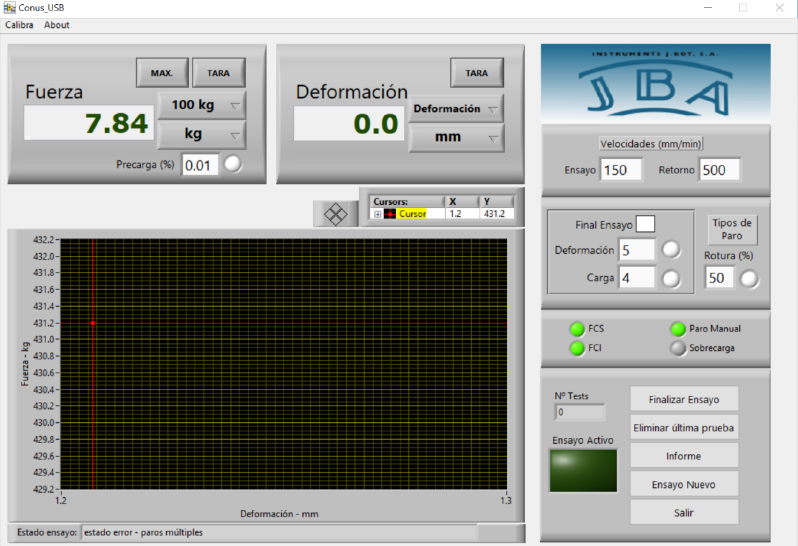
The Force and Deformation displays allow the instantaneous values of the quantities to be read, and the load cells in use and their corresponding units to be selected.
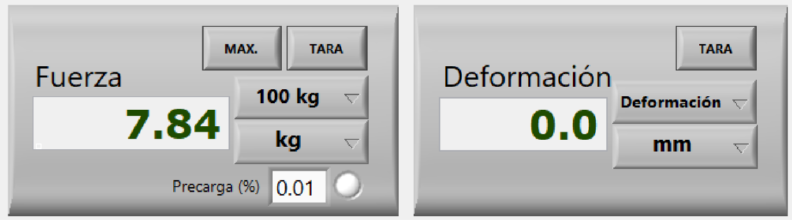
Furthermore, the force display allows the user to select a preload value at which the system begins the test and stores the recorded data. This function can be enabled at the user’s discretion.
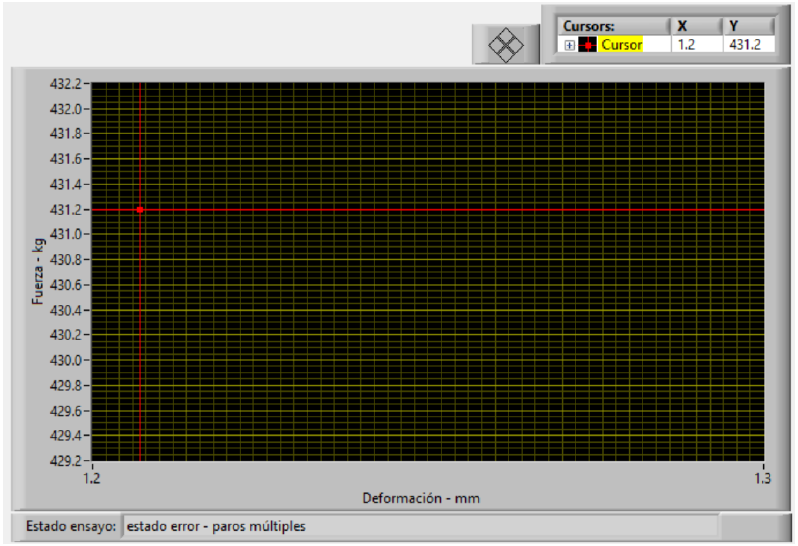
The force-strain curve is displayed in the graph area. This curve, which appears when a test begins, allows the user to view all the values recorded by the programme.
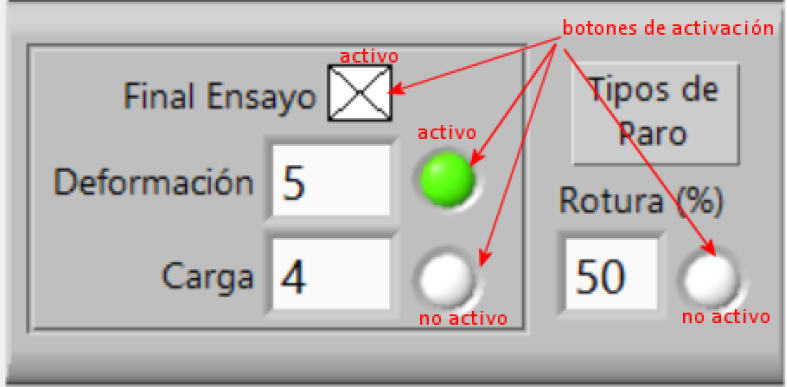
The ‘Stop Types’ section allows you to select the reasons why a test may end automatically. The programme provides for stops due to load or strain limits, or due to a percentage drop in load from the maximum value. All these stop types can be easily enabled or disabled using the corresponding button.
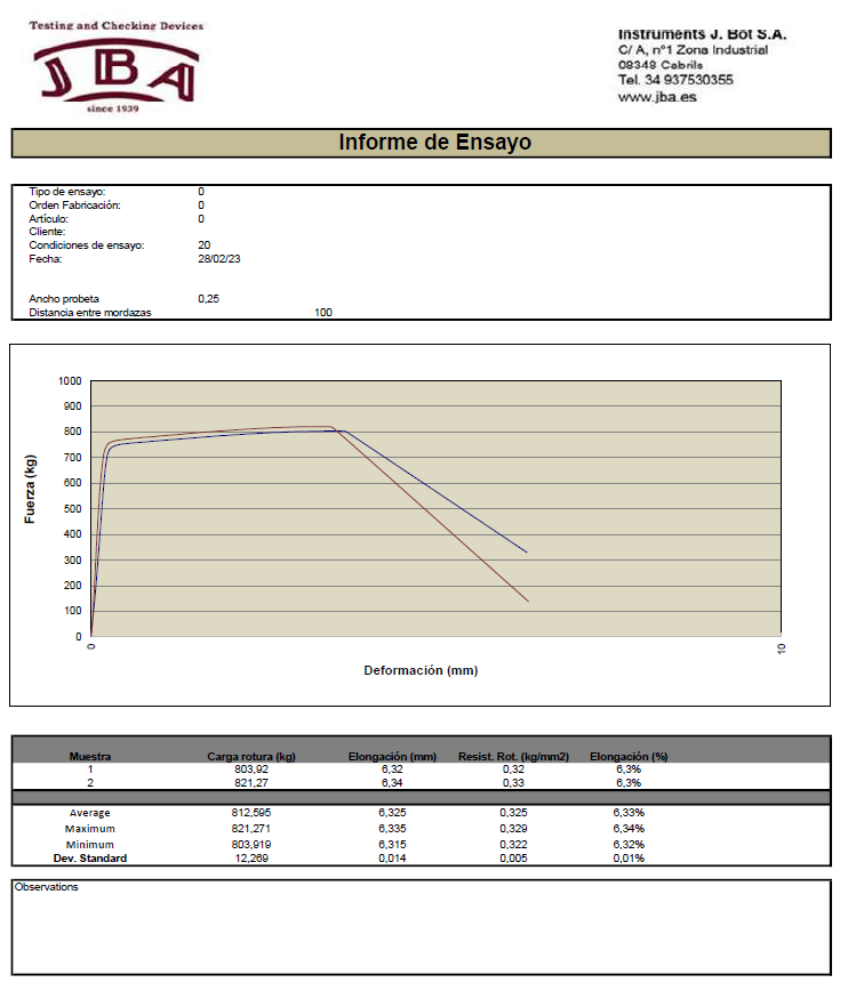
The analysis of results is completely open. The programme communicates with an Excel spreadsheet containing all the acquired data, enabling the relevant reports to be generated. The programme comes with an Excel spreadsheet containing various report formats applicable depending on the type of test carried out. These reports can be fully customised by the user.
SOFTWARE ConusUSB v.Advance
ConusUSB v.Advance provides a user-friendly, straightforward graphical interface for operating testing machines. Thanks to its highly functional design, all from a single screen, it is possible to quickly and easily set test parameters, view the machine’s status and analyse the results obtained.
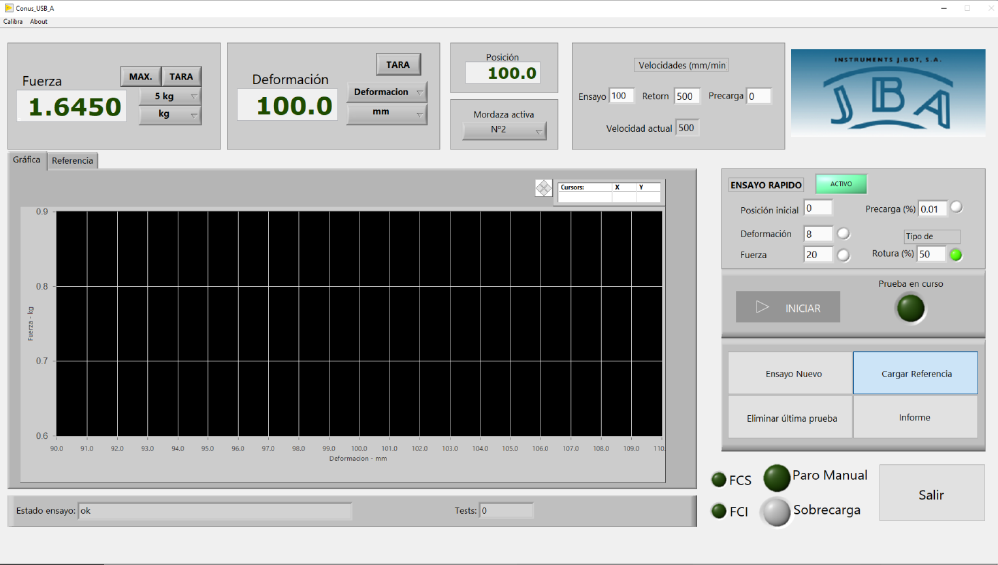
The top status bar displays the Force and Strain indicators, which allow the instantaneous values of these quantities to be read, and enable the selection of the load cells in use and their corresponding units. This bar also shows the selection of the clamps used in the test, the position of the movable bridge at any given moment, and the speeds defined for each type of displacement.

ConusUSB-Advance features a rapid testing mode that allows tests to be carried out almost instantly using the on-screen controls. This mode is suitable for tests carried out continuously in a single direction of movement, stopping on break or when a load or strain limit is reached.
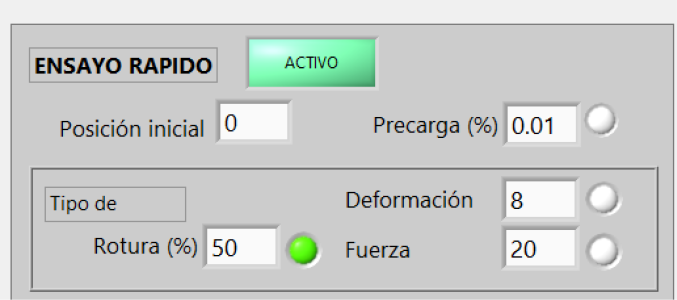
The ‘Stop Types’ section allows you to select the reasons why a test may end automatically. The programme provides for stops due to load or strain limits, or due to a percentage drop in load from the maximum value. All these stop types can be easily enabled or disabled using the corresponding button.
For carrying out complex tests that require precise positioning, cyclical movements, etc., the programme includes a reference editor where it is possible to define, step by step, the various movements and actions to be performed by the machine. These execution steps are grouped under a test reference and stored on the machine so that they can be retrieved for later use.
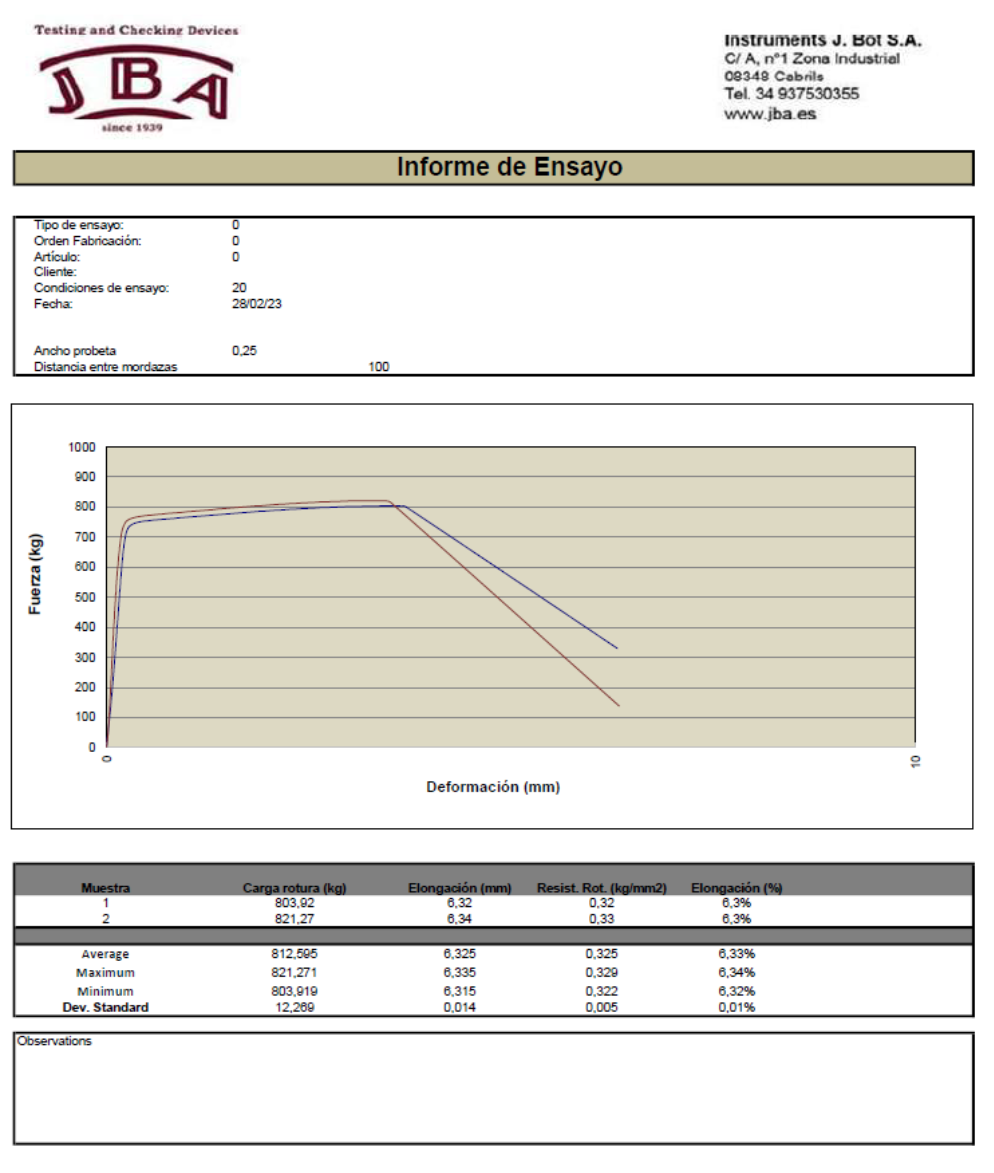
The analysis of results is completely open. The programme communicates with an Excel spreadsheet containing all the acquired data, enabling the relevant reports to be generated. The programme comes with an Excel spreadsheet containing various report formats applicable depending on the type of test carried out. These reports can be fully customised by the user.
Our in-house software design enables us to develop bespoke applications for tests such as Fire Risk testing to UNE-EN 60332-1-1 (1 kW flame), SAE J2302 and SAE J2495 insulation tests, UNE-EN 13229 test for heating appliances, UNE-EN 81-58 and UNE-EN 1366-1 fire resistance tests, Smoke Density Test in accordance with IEC 61034 and others.